
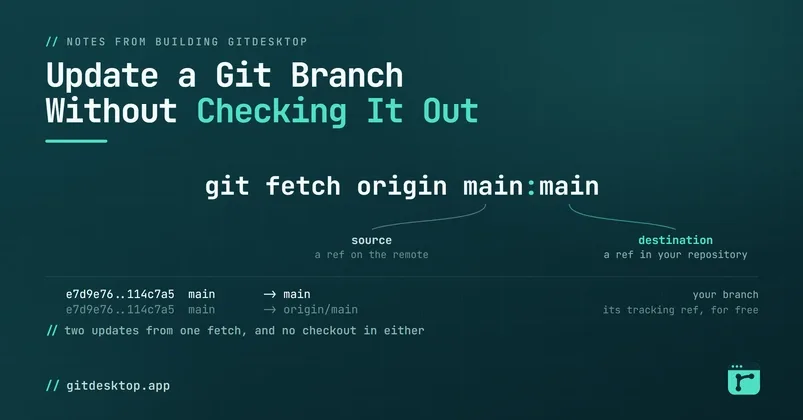

Your pull request just merged. You're already on the next branch, and now your local main is stale: the merge landed on the remote, not in your clone. Sooner or later you'll cut a branch from main , rebase onto it, or just read it, and you'd rather all of that see today's history instead of last week's. The move everyone knows is to go visit: git switch main , git pull , git switch - . It works. It also checks out main for the privilege of running one fast-forward, and a checkout stopped being free years ago : dev servers restart, watchers refire, generated files churn, and if .gitignore changed in the meantime you come back to a wall of untracked files. Two context switches to move one pointer. Git can move a branch you're not standing on. It has been able to all along. The colon in the refspec git fetch takes refspecs:
- c540dc1...62fb195 main -> main ( forced update ) 0538f6b..62fb195 main -> origin/main git fetch origin From …/origin 62fb195..5a013dc main -> origin/main git worktree add ../tmp main Preparing worktree ( checking out 'main' ) HEAD is now at 687bfb7 fix: local-only patch git worktree remove ../tmp $ git log --oneline -2 main a0ffdc9 Merge remote-tracking branch 'origin/main' 687bfb7 fix: local-only patch Your own checkout never blinked. For the rebase preference, git -C ../tmp rebase origin/main would have served the same way. Two things about where this leaves you: main now carries a commit the remote lacks, so the next plain main:main fetch is a rejection until you push; and whether a merge like this one will conflict is answerable before you run it , from the same seat. Or don't do any of this The feature this post has been circling ships in GitDesktop , the Git client I work on. After a fetch, every branch row shows how far it sits ahead or behind its upstream, and a branch with commits to pull offers Update from origin/… in its context menu: no switching, your checkout stays put. Under that item, in order: an ancestry check to classify the case, then git fetch . origin/main:main when it's a fast-forward, and for a diverged branch the throwaway-worktree merge from above — created, merged, removed, a conflicted merge aborted so the branch is left exactly as it was. Aimed at the branch you're standing on, it does the one reasonable thing left and merges in place, conflicts and all, the way a plain pull would. A branch is a name for a commit, and a name can move without you standing on it. You check out a branch to work on it; updating it never required your presence.