
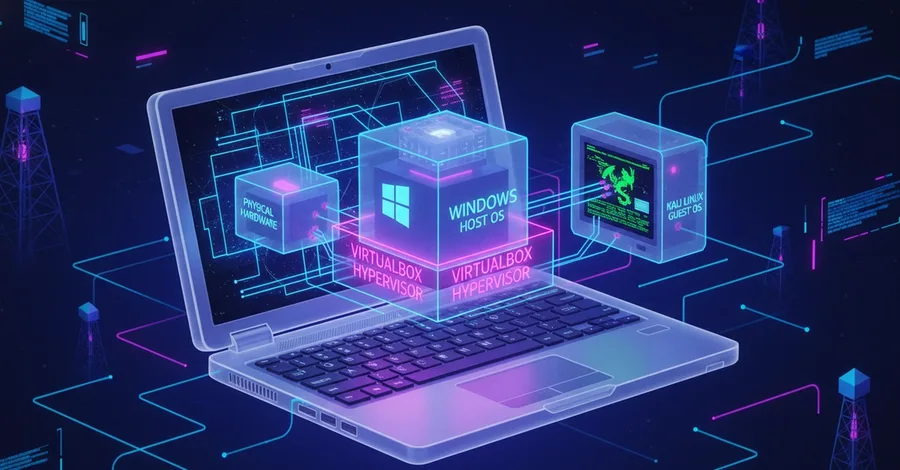

When I first installed Kali Linux on my Windows laptop, I was confused. How could one operating system run inside another operating system? Was Kali just another application? Or was it actually a separate computer? The answer is surprisingly interesting. Let's break it down in simple terms. The Problem Suppose your laptop is running Windows 11. Normally, you can install applications like: Chrome VS Code Discord Spotify These applications rely on Windows to function. If Windows stops working, those applications stop working too. But something different happens when you install a Virtual Machine. A Computer Inside Your Computer Imagine your physical laptop looks like this: Physical Laptop │ └── Windows 11 Now you install VirtualBox. Physical Laptop │ └── Windows 11 │ └── VirtualBox Then you install Kali Linux inside VirtualBox. Physical Laptop │ └── Windows 11 (Host) │ └── VirtualBox │ └── Kali Linux (Guest) At first glance, Kali looks like just another application window. But it isn't. Kali behaves like an entirely separate computer running inside your computer. Meet the Hypervisor The software responsible for making this possible is called a Hypervisor . Examples include: VirtualBox VMware Hyper-V Proxmox A hypervisor creates virtual hardware and allows multiple operating systems to share the same physical machine. Think of it as a property manager. The physical laptop is the building. The operating systems are tenants. The hypervisor manages resources and decides who gets what. Host OS vs Guest OS These are two terms you'll hear constantly in virtualization. Host OS The operating system installed directly on the physical machine. In our example: Windows 11 is the Host Operating System. Guest OS The operating system running inside the virtual machine. In our example: Kali Linux is the Guest Operating System. Visualized: Physical Laptop │ ├── Host OS │ └── Windows 11 │ └── Guest OS └── Kali Linux Where Does Kali Get Its CPU? Your laptop has a real CPU. Maybe it's an Intel Core i5, i7, or AMD Ryzen processor. When you create a VM, VirtualBox allows you to allocate part of that CPU to Kali. For example: Physical CPU 8 Cores You might give Kali: 2 Virtual CPUs Now Kali believes it has its own processor. In reality, it's sharing the physical CPU with Windows. Where Does Kali Get Its RAM? The same thing happens with memory. Suppose your laptop has: 16 GB RAM You might allocate: 4 GB RAM to Kali. Now: Windows = 12 GB Kali = 4 GB While Kali is running, that memory is reserved for the virtual machine. To Kali, it feels like real hardware. The Virtual Hard Disk Kali also needs storage. But VirtualBox doesn't create a real hard drive. Instead, it creates a file. Something like: KaliLinux.vdi This file acts as a virtual hard disk. Inside that file, Kali stores: Files Programs Configurations User data From Kali's perspective, it's a real disk. From Windows' perspective, it's just a file. The Virtual Network Adapter This is where things become really interesting. Every computer needs a network card. VirtualBox creates a virtual network adapter for the VM. This gives Kali its own IP address. For example: Windows 192.168.56.1
Kali 192.168.56.10 Even though both systems are running on the same laptop, they can communicate like two separate computers on a network. This is exactly how cybersecurity labs work. Why Cybersecurity Students Love Virtual Machines Virtual machines let you build an entire lab on a single laptop. Example: Windows Host │ ├── Kali Linux │ ├── Metasploitable │ └── OWASP Bricks Now you can: Scan targets Run exploits Test web applications Practice networking Learn penetration testing without needing multiple physical machines. The Biggest Misconception Many beginners think: "Kali is just another application running in Windows." Not exactly. Chrome is an application. VS Code is an application. Kali is a complete operating system with: Its own users Its own filesystem Its own networking Its own processes Its own services It simply happens to be running on virtual hardware. Final Thoughts Virtualization is one of the most important technologies in modern computing. Cloud servers, cybersecurity labs, malware analysis environments, development systems, and enterprise infrastructure all rely on the same idea: Running multiple computers on one physical machine. The next time you open Kali Linux in VirtualBox, remember: You're not launching an application. You're powering on an entirely different computer that just happens to live inside your laptop.